Ready to register a new Goexch9 ID? This is the official registration guide from the team that runs Goexch9 — the real steps, exactly what we ask for, and how to avoid the copycat sites that pretend to be us. There is no public sign-up form and no download; registration happens through one verified WhatsApp desk and takes only a few minutes.
Goexch9
Official Registration
Goexch9 is your official online exchange. Securely create and verify your official Goexch9 betting account, and start your journey today.

18+ Responsible Gaming
Valid WhatsApp Required
Age Verification Mandatory
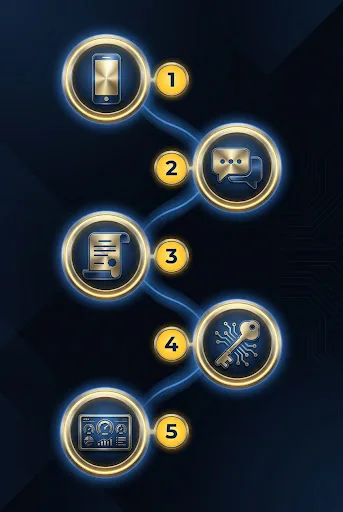
6 Steps to Your Official ID
Follow this exact process to ensure a safe and secure account setup.
Contact Official Support
Reach out via our verified WhatsApp channel to initiate the process.
Contact Official Support
Reach out via our verified WhatsApp channel to initiate the process.
Ensure you are messaging the verified number listed on this site.
Receive Registration Details
The support team replies in the same secure chat with everything needed to set up your account.
Receive Registration Details
The support team replies in the same secure chat with everything needed to set up your account.
Only open links shared inside the verified chat.
Provide Basic Details
Fill in your accurate full name and preferred payment method.
Provide Basic Details
Fill in your accurate full name and preferred payment method.
Names must match your banking details exactly.
Verify Mobile via OTP
Enter the code sent to your WhatsApp to verify ownership.
Verify Mobile via OTP
Enter the code sent to your WhatsApp to verify ownership.
Do not share this OTP with anyone.
Initial Deposit for Activation
Make your first deposit to activate the account.
Initial Deposit for Activation
Make your first deposit to activate the account.
Minimum deposit requirements apply.
Receive Your Official ID
Your secure login credentials will be delivered directly to WhatsApp.
Receive Your Official ID
Your secure login credentials will be delivered directly to WhatsApp.
Change your password upon first login.
Information Required for Registration
| Detail | Why we need it | Status |
|---|---|---|
| Full Name | To match your payment methods and prevent fraud. | Mandatory |
| Active WhatsApp Number | For secure OTP delivery and official communication. | Mandatory |
| Preferred Payment Mode | To set up your seamless deposit and withdrawal channels. | Mandatory |
| Age Proof (18+) | To comply with responsible gaming requirements. | Mandatory |
Correct Mobile Number
Ensure your WhatsApp number is accurate to receive your ID securely.
Private Password
Support will never ask for your password. Keep it completely confidential.
Verified Channel
Only communicate through our official numbers listed on this site.
Read Terms
Familiarize yourself with platform rules to ensure smooth gameplay.
Security First
Strong Password Hygiene
Your account security is our top priority. Upon receiving your initial credentials, it is mandatory to change your password immediately.
- Use at least 8 characters, mixing uppercase, lowercase, numbers, and symbols.
- Never use predictable patterns like '123456' or your name.
- Do not reuse passwords from other websites or accounts.

What Happens After Registration?
Once verified, you will receive a Welcome Kit directly on WhatsApp. This includes your unique User ID, a temporary password, and links to download our official secure app. Your first login requires a mandatory password change to ensure total account privacy before you begin betting.
Welcome Message App Links Initial Login
Troubleshooting Common Registration Issues
OTP Not Received or Delayed
If your OTP does not arrive promptly, ensure your WhatsApp is connected to a stable internet connection. You can request a resend if it still has not appeared. If the issue persists, contact support directly using the alternative contact provided on the contact page.
Verification Stuck Processing
Usually, verification is handled quickly. During peak hours it may take a little longer. Do not close the window or refresh the page repeatedly. Wait for the confirmation message on WhatsApp.
Initial Deposit Payment Confirmation
Always take a screenshot of your successful transaction. If the amount doesn't reflect in your new account promptly, send the screenshot to your designated support agent on WhatsApp with your UTR/Reference number.
Registration FAQ
How long does it take to register?
The entire process, from sending the first WhatsApp message to receiving your ID and temporary password, runs inside one support conversation. Timing varies with support load, but most requests are completed quickly during normal operating hours.
Is there a fee to register an ID?
No, creating an official ID is completely free. The amount you transfer during the deposit step is entirely credited to your betting wallet as your starting balance.
Can I have multiple IDs?
No. To maintain a fair and secure environment, the policy strictly permits only one official ID per user, verified against a unique mobile number and payment profile.
Ready to Get Started?
Get your official ID securely via WhatsApp, with honest answers about deposits, minimums, and timing before you commit.
Register Your Official ID NowBy clicking, you agree you are 18+ and accept our terms.
About Goexch9 Registration Read the full details on eligibility, safety and related resources
How Registration Really Works on Goexch9
Setting up a new ID on Goexch9 works a little differently from a shopping app, and knowing that in advance saves confusion. There is no open web form that anyone can fill in. Instead, registration runs through the verified WhatsApp desk linked on this page — you message the real Goexch9 support team, confirm a few basic details, read and accept the terms, and receive your account ID. Because you are dealing with the operator directly, there is no middleman marking up the process and no reseller in between.
Before you start, one caution that matters more than any step below: several look-alike sites and social accounts copy the Goexch9 name and run their own fake ‘registration’ to collect money or personal details. The only place to register is through the verified channel on this official site. Genuine support never asks for your password or an OTP, and never contacts you first out of nowhere.
What we actually ask for is deliberately minimal — enough to set up and protect your account, nothing more. You will never be asked to share a one-time password, and you should never share one with anyone claiming to be support. Keep the details you receive private, and treat your ID like the key to a wallet, because that is effectively what it is.
This is adult entertainment with real financial risk. Registration is only for players aged 18 and above, outcomes on any market are never certain, and money you stake can be lost. Please check the laws in your own state first, and read our responsible gaming guide before you begin. The step-by-step timeline below walks you through the whole process in order.
Before You Register: Eligibility and Safety
Before you register for a Goexch9 account, confirm two things: you are at least 18 years old, and real-money online gaming is permissible where you live. Rules vary considerably across Indian states, so this personal check matters more than any tip, tutorial, or strategy you will read afterwards.
The age requirement is not negotiable
Every betting exchange environment is strictly an 18+ space. If you are underage, stop here — no guide, workaround, or borrowed ID makes participation appropriate, and using an adult's identity to create an account puts both of you at risk. Genuine support desks will refuse to knowingly set up an ID for a minor, and that refusal is a sign of a desk worth trusting.
Check your local position
India does not have a single nationwide rulebook for online gaming; individual states take their own positions, and some are considerably stricter than others. Nobody on a chat channel can give you legal advice, and neither can this website. Spend ten minutes understanding the position in your own state before creating an ID. If the situation where you live is unclear or restrictive, the responsible choice is to wait rather than push ahead.
Be honest about your budget and mindset
Decide your entertainment budget before you sign up, not after your first losing session. A useful rule: only commit money you could lose entirely without affecting rent, food, family obligations, or savings goals. Betting is a paid form of entertainment with an uncertain outcome — never a plan for income, and never a way to recover money you have already lost elsewhere.
It also helps to check your emotional readiness. If you are signing up while stressed about finances, chasing a loss from another platform, or hiding the activity from family, those are warning signs worth taking seriously. Our responsible gaming page explains self-imposed limits, cooling-off habits, and where to find help if play ever stops feeling like entertainment. Reading it before you create an ID takes five minutes and is genuinely worth the time.
One person, one account
Plan on a single ID in your own name, funded by you alone. Duplicate accounts, shared logins, and IDs created for friends cause disputes later — especially around withdrawals — and support desks generally treat multiple accounts from one person as a rule violation. Starting clean is far easier than untangling a mess afterwards.
Step-by-Step Goexch9 Registration Process
The registration flow runs through a support chat rather than a web form. You message the verified helpdesk, share a few basic details, and receive your login credentials once the desk confirms everything. Ready to register? Here is the sequence most new users follow, from first message to first login.
- Open the verified support chat. Tap the Register Goexch9 Account button on this page. It routes you to the helpdesk channel we have verified, which matters — copycat numbers imitate popular exchange brands, and the single biggest registration mistake is messaging the wrong chat. Never pick a number from a random Telegram group, social media comment, or forwarded message.
- Send a simple opening message. Something like "Hi, I want to create a new Goexch9 ID" is enough. You do not need a referral code or any special phrasing. If the desk is busy you may wait a little while for a reply; that is normal and not a reason to try three other numbers in parallel.
- Share the basic details requested. Typically this is your active mobile number and a name or nickname for the account. The next section covers exactly what is reasonable to share and what should raise a red flag. Take your time here — a typo in your mobile number is the most common cause of later login trouble.
- Discuss the starting balance. Exchange IDs usually go live with an opening deposit, coordinated through the same chat. Ask about the minimum amount, the available payment options, and how long crediting generally takes before you send anything. Keep your first deposit small; you can always add more once you have seen a full deposit-and-withdrawal cycle work. Our deposit and withdrawal guide explains this stage in detail.
- Receive your ID and temporary password. Once details are confirmed, the desk sends your username, a starting password, and the site link. Timing depends on chat volume — typically quick, but never guaranteed to the minute, and anyone promising a fixed number of minutes is overselling. Save the credentials somewhere private the moment they arrive.
- Log in and change the password immediately. Your first action inside the account should be replacing the temporary password with a strong private one, because the starting password travelled through a chat window. Then check that your balance matches what you deposited. Our login guide walks through the first sign-in screen by screen if anything looks unfamiliar.
That is the whole process. No app download is compulsory — the site runs in any mobile browser — though many users prefer the home-screen shortcut approach described in our mobile app guide once the account is active.
Details Generally Required
When you register through the support chat, the information requested is deliberately minimal. A genuine desk needs just enough to create the ID and coordinate payments — nothing more. Here is what is commonly asked, why each item is needed, and how to share it safely.
| Detail | Why it's needed | Safety tip |
|---|---|---|
| Active mobile number | It becomes your contact point for the account — credential delivery, payment coordination, and any recovery request run through it. | Use your own number, double-check every digit before sending, and never use a friend's number just because their WhatsApp is handy. |
| Name or nickname | Used as a reference on the account so the desk knows who they are talking to across future chats. | A first name or simple nickname is fine; you are not required to share your full legal name in the opening message. |
| Preferred username (optional) | Some desks let you suggest a username; others assign one automatically in their standard format. | Avoid usernames containing your birth year, phone number, or anything that reveals personal information. |
| Opening deposit amount | Exchange IDs are generally activated with a starting balance, so the desk confirms how much you want to begin with. | Start with the minimum until you have completed one full withdrawal successfully. Never let anyone pressure you into a bigger figure. |
| Payment confirmation | After you transfer the opening amount, a screenshot or reference ID lets the desk match your payment to your new account. | Crop or hide unrelated details in screenshots — your bank balance and other transactions are nobody's business. |
| Referral source (optional) | Occasionally asked so the desk knows how you found them; it has no effect on whether your ID is created. | Purely optional. If you have no referral, say so plainly — it changes nothing. |
Just as important is what a legitimate desk will not ask for. You should never be asked to share a banking OTP, a card PIN, your UPI passcode, or remote access to your phone. Requests for Aadhaar or PAN images in the very first message are also out of place for a simple account setup — if identity confirmation is ever genuinely needed, it comes later with a clear reason, not as an opening demand. Any chat that leads with these requests is one to close immediately, whatever name it displays.
Keep the entire conversation inside one chat thread. If someone claiming to be from the same desk contacts you from a second number mid-registration, treat it as an impersonation attempt and confirm through the original thread before replying.
✅ Correct Mobile Number
Your mobile number is the backbone of the whole account — it is how credentials reach you and how recovery works if you ever forget a password. A single wrong digit sends your details to a stranger and turns a five-minute setup into days of back-and-forth. Type it out, read it twice, then send. If you change SIMs later, inform the support desk from the old thread before the old number goes dead.
🔒 Private Password
The temporary password you receive has passed through a chat window, so treat it as public knowledge and replace it on your very first login. Build a fresh password you use nowhere else — three unrelated words plus numbers beats any short clever string. Never share it with the support desk, family, or friends placing bets through your account. A password only you know is the cheapest security upgrade available. Login guide →
💬 Verified Channel Only
Every popular exchange brand attracts impersonators running lookalike WhatsApp numbers and Telegram handles. They collect deposits for accounts that never get created, then vanish. Protect yourself by starting only from the buttons on this site, saving the verified number after first contact, and refusing to continue any conversation that migrates to a new number without confirmation in the original thread. Contact page →
📄 Read the Terms
Two minutes with the rules saves hours of dispute later. Before funding your new ID, skim the platform's conditions in chat — minimum stakes, withdrawal timing expectations, bonus conditions if any are offered, and what happens to bets when a match is abandoned. Save screenshots of anything the desk promises. Our own site policies are published openly too. Terms & conditions →
Password and Login Safety
Account security on an exchange ID comes down to a handful of habits: a strong unique password, a locked phone, a saved verified support number, and a healthy refusal to share credentials with anyone. Build these habits during registration and they protect your balance for the life of the account.
Choosing a password that holds up
Length beats complexity. A passphrase of three or four unrelated words with a couple of digits — easy for you to remember, hopeless for anyone to guess — outperforms a short string of symbols you will forget within a week. Avoid your name, birth year, mobile number, cricket idols, and the word Goexch9 itself in any form. And make it unique: reusing the password from your email or social media means one leak anywhere exposes everything.
Where to keep credentials
The worst storage location is the chat thread itself, followed closely by a plain note labelled "betting password" on an unlocked phone. Better options: your phone's built-in password manager, a dedicated password manager app, or — old-fashioned but effective — a paper note kept at home where only you can reach it. Whichever you choose, delete the credential message from the chat once you have changed the temporary password.
Everyday sign-in discipline
- Type the site address yourself or use a saved bookmark rather than clicking login links forwarded in groups — lookalike pages exist purely to harvest passwords.
- Prefer your own mobile data or home Wi-Fi over public networks when signing in, especially for anything payment-related.
- Never stay logged in on a shared or borrowed device, and always log out fully at cyber cafés or a friend's phone.
- If the desk ever needs to verify you, they can do it through your registered chat thread — no genuine process ever requires you to reveal your password.
If you ever suspect the account has been accessed by someone else — bets you did not place, a balance that moved overnight — change the password first and message the verified support chat immediately after. Fast reporting is the difference between a scare and a loss. The login help page covers recovery steps in more depth, including what to do when the password reset itself seems stuck.

What Happens After Registration
Once your credentials arrive, the account is live and the first hour is about verification, not betting. Sign in, secure the password, confirm the balance, and take an unhurried tour of the interface. Users who spend thirty calm minutes exploring before staking anything make noticeably fewer costly mistakes in week one.
Your first login
Open the site link shared by the desk, enter the username and temporary password exactly as sent — credentials are usually case-sensitive — and sign in. Change the password immediately, then check the balance figure against the amount you deposited. If the numbers do not match, raise it in the chat right away with your payment screenshot; small crediting delays happen, but silent mismatches should never be left overnight. The login guide covers this first session step by step, including the common typo traps.
Learn the account layout
Find four things before your first bet: where your balance and exposure are displayed, where open and settled bets are listed, where the account statement lives, and how the back and lay buttons are arranged on a market. Exchange odds move in real time and the two-sided format confuses newcomers for a day or two — that is normal. Our Goexch9 ID guide explains what the ID includes and how the account pages fit together, while the Goexchange9 overview covers how the exchange model differs from a fixed-odds bookmaker.
Ease into the markets
Start with a sport you already understand. For most Indian users that means the cricket section, where match formats and player form are familiar territory, before branching into the wider sports markets or the casino games. Keep first stakes at the table minimum. The goal of week one is to understand settlement, not to win big.
Test the full money cycle early
Within the first few days, make one small withdrawal even if you do not need the money. Completing a full deposit-in, withdrawal-out loop confirms the payment process works for you personally and teaches you the timing to expect. Only after that test clears should you consider a larger balance.
Common Registration Issues
Most setup problems trace back to a handful of causes: slow chat replies, typing errors, copycat numbers, and mismatched expectations about timing. Every issue below has a simple fix, and none of them means your money or details are automatically at risk — provided you registered through the verified channel.
- No reply from the support chat. Desks handle waves of messages around big matches, and evening IPL hours are the busiest of all. Wait a reasonable interval and send one polite follow-up in the same thread. Do not message five different numbers in frustration — that is exactly how people wander into impersonator chats.
- You typed the wrong mobile number. If credentials were issued against a wrong digit, tell the desk immediately from your actual number and explain the typo. Expect a short verification conversation before they reissue anything; that caution protects you as much as them.
- Your message shows one tick and never delivers. Usually a network issue or an outdated saved number. Check your internet, confirm the current contact from this site's contact page, and retry. If the number itself has changed, only trust the update published here — not one forwarded in a group.
- The temporary password will not work. Nine times out of ten this is a copy-paste problem — an invisible space grabbed at the end of the password, or a lookalike character typed manually. Retype it slowly, respecting capitals. Still stuck? Ask the desk to resend rather than guessing until something locks.
- A second number contacts you mid-setup. Treat any new number claiming to be "the same team" as an impersonation attempt until proven otherwise. Verify in your original thread before replying, and never send a payment to an account announced only by the new number.
- You are asked to register again for a duplicate ID. One person needs exactly one account. If you lost your credentials, recover the existing ID through support instead of creating a second one — duplicates create withdrawal disputes and can get both accounts frozen.
- You saved nothing and the chat got deleted. If the credentials message is gone and you never noted the details, contact the desk from your registered mobile number and request recovery. This works, but it is slow — which is why saving credentials properly the moment they arrive is step one of account ownership.
If a problem does not fit any of these patterns, describe it plainly in the verified chat with screenshots. Clear reports get faster fixes than angry paragraphs.
Related Guides Worth Reading Next
Registration is only the first chapter. These companion guides pick up exactly where this page leaves off, and together they cover everything a new user typically asks in the first month:
- Goexch9 Login Guide — first sign-in walkthrough, password recovery, and fixes for the most common access errors.
- Goexch9 ID Guide — what your new ID actually includes, how balances and exposure work, and account management basics.
- Deposit & Withdrawal Guide — how funding is coordinated through chat, sensible first amounts, and how to test the payout cycle safely.
- Mobile App Access Guide — using the platform smoothly on mobile, including the home-screen shortcut method that skips app store downloads.
- Goexchange Explained — the background of the exchange format and what back and lay betting mean in practice.
- Responsible Gaming — limit-setting, warning signs, and support resources. Essential reading, not an afterthought.
Prefer to browse everything in one place? Our Goexch9 blog collects every explainer, safety walkthrough and how-to in one topic hub. Each guide stands on its own, so start with whichever question is bothering you most right now — for most brand-new users that is the login walkthrough, followed closely by the deposit and withdrawal explainer.
Frequently Asked Questions About Goexch9 Registration
How do I register for a new Goexch9 ID?
Account creation runs through a verified WhatsApp support chat rather than a web form. Tap the registration button on this page, send a short message saying you want a new ID, share your mobile number and a name, arrange the opening deposit, and the desk sends your username and temporary password once everything is confirmed.
Is there a sign up form on Goexch9.net?
No, and deliberately so. Goexch9.net is the official Goexch9 site, and we never collect personal details through forms on our pages. All account creation happens in the verified chat channel, where you can see who you are dealing with and ask questions before sharing anything. Treat any lookalike site pushing a data-collection form with caution.
How long does registration take?
It depends on chat volume at the desk. Quiet afternoons are typically quick; evenings around big cricket matches take longer because thousands of users message at once. No honest desk promises a fixed number of minutes, so be patient with a genuine channel rather than tempted by an impersonator promising instant delivery.
Is creating a Goexch9 ID free?
There is generally no separate registration fee, but exchange IDs are activated with an opening deposit that becomes your playable balance. Ask the desk for the current minimum before sending anything, and keep that first amount small until you have completed one successful withdrawal and know the full cycle works for you.
What is the minimum age to sign up?
Eighteen, without exception. Betting platforms are adult-only environments, and using a parent's or friend's identity to get around the age requirement creates serious problems for both people involved. If you are under 18, close this page — and if betting is causing anyone in your family harm, our responsible gaming page lists where to find help.
Do I need to submit Aadhaar or PAN to create an ID?
Basic setup normally needs only a mobile number and a name, so identity documents demanded in the very first message are a red flag. If verification is ever genuinely required later, it comes with a clear explanation through your registered thread. Never send document photos to a number you have not confirmed through this site.
Can I create two Goexch9 accounts?
No — plan on one ID per person, funded from your own payment methods. Duplicate accounts are treated as rule violations and commonly surface at the worst moment: withdrawal time. If you have lost access to an existing ID, recover it through the verified support chat instead of registering a fresh one.
What if I stop receiving replies after paying my opening deposit?
First, allow for normal delays during busy hours and send one calm follow-up with your payment screenshot in the same thread. If silence continues well beyond that, recheck that you used the verified number from this site. Registrations made through the confirmed channel resolve; payments sent to random forwarded numbers are usually unrecoverable — which is why channel verification comes first.
Can I register from any state in India?
Technically the chat will accept messages from anywhere, but that does not make participation appropriate everywhere. States take different positions on real-money gaming, and the responsibility for knowing your local rules sits with you. If the position where you live is restrictive or unclear, waiting is the sensible choice — no match is worth a legal headache.
From Our Blog
Hand-picked articles that go deeper on this topic:
- Goexch9 Register Guide for First-Time Users — a procedural walkthrough with a step-by-step timing table.
- How to Create Goexch9 ID Safely — a safety-first checklist for spotting red flags before you begin.
- How to Keep Your Goexch9 Account Secure — sessions, devices and phishing beyond the password.
- Goexch9 Account Access Checklist Before You Start — a readiness list to run before your first login.
Message the verified support desk to register your new account, ask questions before committing, and get honest answers about deposits, minimums, and timing. Strictly 18+ — please play responsibly and only with money you can afford to lose.
How to Sign Up for Goexch9 (Step by Step)
Signing up for Goexch9 takes only a few minutes. Registration and login both run through your single Goexch9 ID, so the account you create here is the same one you will use every time you log in. If you have searched for a Goexch9 "sign up" page, this is it — the official registration flow. Below are the questions new players ask most often before creating an account.
Frequently asked questions about signing up
How do I sign up and create a Goexch9 ID?
Open the registration form at the top of this page, enter your mobile number and basic details, choose a strong password, and confirm. Those details become your Goexch9 ID — one ID per person. If you would prefer a hand, you can request help on official WhatsApp support and a team member will walk you through it.
Is signing up for Goexch9 free?
Yes. Creating your Goexch9 account is free. You only add funds later, when you choose to, through the deposit process — there is no charge to register or to keep an account open.
What do I need before I sign up?
You must be 18 or older and registering for yourself. Keep an active mobile number handy for verification, pick a password you do not reuse anywhere else, and never share your password or any OTP with a third party — the official Goexch9 team will never ask for it.
Related guides
- Goexch9 ID guide — how the single-ID rule works and how to keep your account secure.
- Login help — safe sign-in habits and fixing common access errors after you register.
- Deposit & withdrawal guide — how the wallet, deposits, and payouts work once your ID is active.
- Responsible gaming — limits, self-checks, and support if play stops being fun.